A Markdown editor for my notes
With Markdown becoming the default document format for LLMs, a markdown document editor replaces an IDE as my most often used work app. I already used Obsidian, but rather annoyingly it couldn't open markdown files that were outside of a Vault. I tried Typora, but again it didn't have the features I wanted - tabs for one, and the startup time was a little long. So I set out to make a Typora clone exactly the way I wanted.
Reading first, editing when I need to
A few notes on how the two views fit together.
With scrivo notes.md, Rust renders the reading view while the window opens. Code highlighting can arrive afterwards; the first job is getting the note on screen.
Ctrl+E switches to a CodeMirror editor with live preview. Tables, maths and images render in place. The reading and editing views carry the source position across, so switching doesn't send me back to the top.
There are tabs, find, a contents sidebar and a command palette. Named files autosave after I stop typing for a couple of seconds.
Keeping the Markdown I wrote
Some rich-text editors parse Markdown into a document tree, then generate Markdown again when saving. That can change perfectly valid formatting. Scrivo uses CodeMirror decorations over the source text instead, in the same general family of approaches as Obsidian.
Editing the source
The preview sits over the text buffer. Editing a table cell still changes ordinary Markdown and participates in undo.
File details
The editor keeps the UTF-8 BOM and dominant line ending style. It refuses invalid UTF-8 rather than silently replacing bytes.
Rendering
The reading view builds its HTML from Markdown parse events, rather than passing through the document's own HTML.
Recovery
Unsaved text gets a separate recovery copy. After a crash I can restore or discard it, without automatically replacing a newer file on disk.
Keeping it testable
The text and file rules live outside the UI. That lets me check them without opening the desktop app.
Long documents
The reader inserts the first chunk before paint, then adds the rest in idle slices. A long note shouldn't have to finish rendering before I can see its beginning.
Did it actually open faster?
A Linux comparison from September 2026. The scripts and results are in the repository.
I compared the two apps by launching them in turns and checking screenshots for actual document content. Timing when a window appears would count a blank window as success, which isn't the delay I was trying to fix.
These are medians from 12 paired runs per file, using Scrivo commit 129cd13 and Typora 1.14.9-1 on 27 September 2026. Times are milliseconds.
Scrivo's first-viewport time changes very little between these files because the rest of the document arrives later. This measures the beginning being readable, not the whole file being rendered.
This was useful for checking the specific problem I started with. It isn't a comparison of everything the two editors can do.
file              app      window   content
medium  8.8 KB    Typora      411       965
                  Scrivo      211       340
large   443 KB    Typora      433     2,016
                  Scrivo      211       356
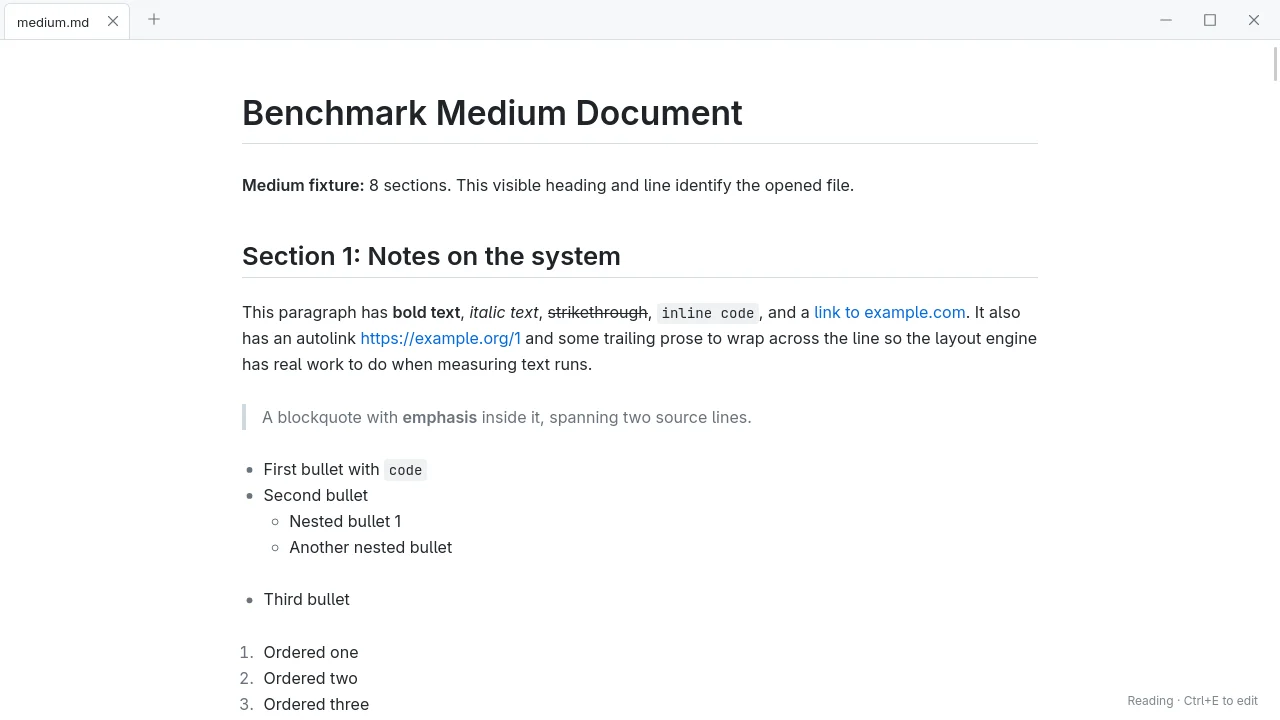
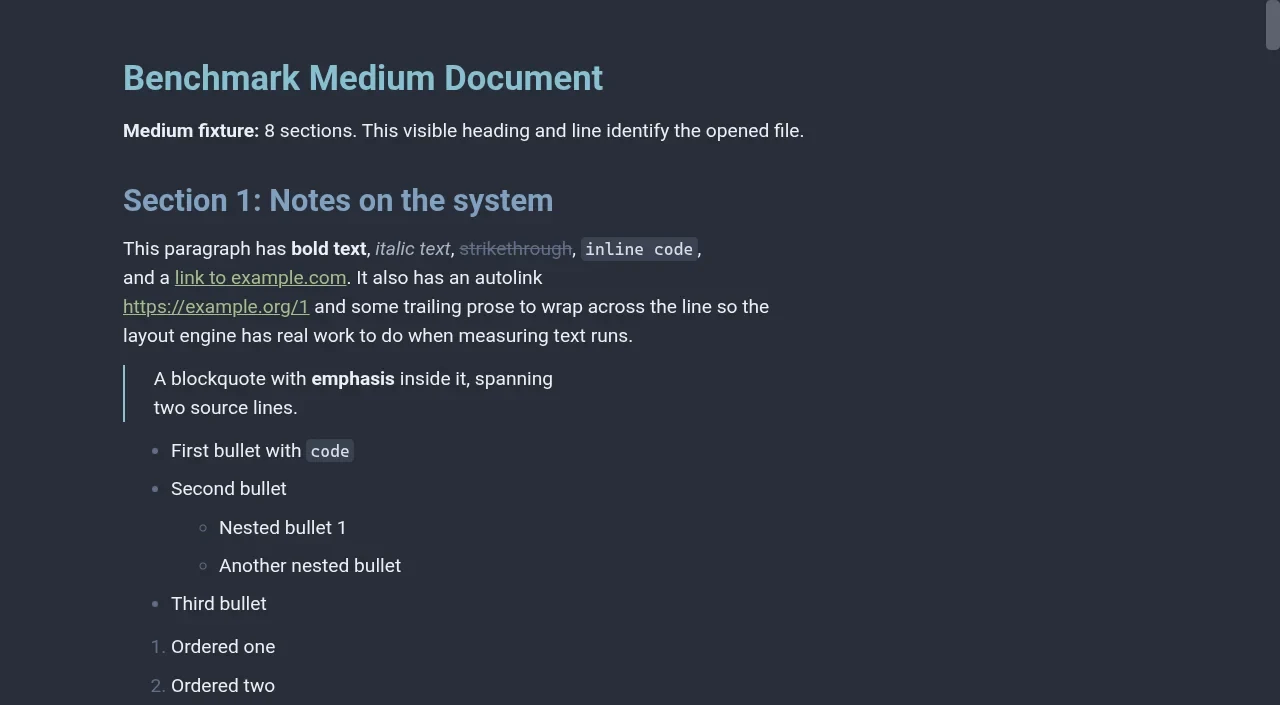
What the timing script looked for
These reference captures are what counted as readable content in the startup runs.
The less tidy bits
Quite a few startup tweaks made no meaningful difference. Inserting more chunks per idle slice helped the full document finish sooner, but barely changed when the first viewport appeared. It was a useful distinction to measure.
- Mixed line endings get normalised to the dominant one on save. The UI says so, but it is a rewrite, and the editor is only lossless for files with one style.
- Recovery writes are asynchronous. A process killed before the write finishes can lose the last few keystrokes.
- Obsidian theme import covers CSS variables only. Layouts, plugins and companion assets are not supported.
- I have only benchmarked on Linux, with Typora 1.14.9-1 running headless in the same compositor. Numbers on macOS and Windows are unmeasured.
Open question
Typora does more than Scrivo, and I only measured this on Linux. I'm happy that my notes open faster in that setup; I wouldn't turn those runs into a general claim about the better editor.